Warning
Cookies are used on this site to provide the best user experience. If you continue, we assume that you agree to receive cookies from this site.

Cardiff 02920 226 316

Categories Blog
Archive: Socrates Siskos
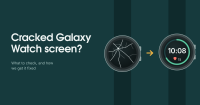
One knock against a door frame or a slip on the gym floor, and your Galaxy Watch screen has a crack running across it. It's frustrating, especially on something you wear every day.
The good news: a cracked screen doesn't usually mean the end of your watch. In most cases the screen can be replaced and your watch goes back to tracking your steps, sleep and heart rate as before.
In this post, we'll help you work out what's damaged, what to do straight away, and what happens when you bring your watch to us.
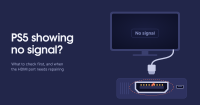
You switch on your PS5, the light comes on, the fan starts... and the TV just says "No signal". It's a horrible moment, but don't panic yet.
A lot of no-signal problems have nothing to do with the console at all. A faulty cable, a soundbar in the way or the wrong TV input can all look exactly like a broken PS5. That's why we always rule those out before suggesting any repair.
In this post, we'll show you the quick checks you can do at home, the signs that point to a damaged HDMI port, and what happens if your PS5 does need a repair.
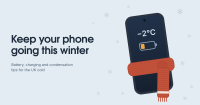
It's a frosty morning, you're waiting at the bus stop, and your phone suddenly switches off at 30%. Sound familiar? You're not imagining it. Cold weather really does affect your phone.
A British winter brings more than just low temperatures. There's rain, damp, icy pavements and lots of going in and out of warm buildings, and all of it can take a toll on your battery, charging port and screen.
The good news is that a few simple habits can keep your phone going all winter. Here's what the cold actually does, and how to protect your phone from it.
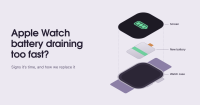
Is your Apple Watch struggling to last the day? You're not alone. Every lithium-ion battery wears out with use, and after a few years of daily charging most watches simply can't hold a charge like they used to.
The good news: the rest of your watch is usually fine. A new battery can give it a second life for a fraction of the cost of replacing the whole watch.
In this post, we'll walk you through the signs it's time for a new battery, what to do if your screen starts lifting, and exactly what happens when you bring your watch to us.
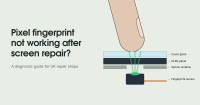
A Pixel fingerprint reader that stops working after a screen replacement doesn't automatically mean a dead sensor. The fault can start in the new OLED, its optical path, the transferred or supplied sensor, installation pressure, the software state or calibration.
This guide is for Android technicians handling fingerprint complaints after a repair. It covers how to diagnose the fault, how to decide on parts, and how to word the job so a screen repair isn't mistaken for a guaranteed fingerprint result. For buying advice by model, see the Pixel 8 screen parts guide and the Pixel 9 screen parts guide.
The short answer: treat the screen, sensor, adhesive and software as one system. Work from reversible checks to a second-panel test before you blame the board.

Ordering iPhone 16 back glass by colour alone is how a quick job turns into a comeback. Big-hole rear glass, a cover supplied with NFC or MagSafe parts, and a full housing are three different purchases, and each one leads to a different repair.
This guide is for UK technicians deciding what to order and what to inspect before fitting. It covers part configuration, colour matching, removal method, wireless charging checks and packing across the iPhone 16, 16 Plus, 16 Pro and 16 Pro Max. For the wider category, see Digi4u's back glass and housing parts guide.
The short answer: if the frame is straight and only the glass is damaged, big-hole glass is usually the leaner job. If the chassis is bent or gouged, a full housing gives you a sound base to rebuild on.
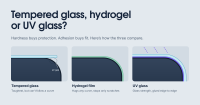
Two variables decide everything
Every screen protector comes down to two things: how hard the material is, and how it sticks to your screen. Hardness decides how well it stops scratches and impacts. The adhesion method decides whether it sits perfectly flat against the display, especially on a curved phone.
Tempered glass, hydrogel film and UV glass are simply three different answers to those two questions. Once you see it that way, choosing between them gets easy.
Has your iPhone gone from 100% in the morning to 20% before lunch? Does it switch off out of nowhere when the weather turns cold? More often than not, the phone isn't broken. The battery is simply worn out.
Replacing a battery sounds simple: open the phone, swap the battery, close it up. But at iphonefixed, we believe the real difference isn't in the swap itself. It's in the details before and after that you never see. Here's how we handle every battery replacement.
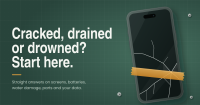
- Back up your data now. The screen could stop responding to touch at any point, and then backing up becomes much harder.
- Check the touch and display. Black spots, coloured lines or areas that don't respond mean the display underneath is damaged, not just the glass on top.
- Cover the crack with clear tape. It stops shards coming loose and slows the crack from spreading.
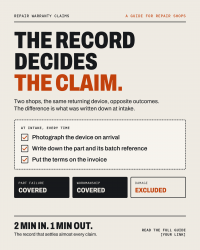
Why warranty claims go wrong
Warranty claims are decided by paperwork, not by technical skill. Two shops can look at the same returning device and reach opposite conclusions, simply because one of them recorded which part was fitted and what condition the device was in.
A customer who brings back a failed repair reasonably expects it to be fixed. Without a record of the part, the intake condition and what the customer was told, that expectation can't be assessed fairly. The same gap blocks any claim against the supplier, so the cost falls entirely on the shop.
The process itself is short: capture the facts, separate the fault types, decide, then repair or explain. Everything depends on the first step, and that step happens weeks earlier, at intake.